Case study
Unicorn
Designing a self-serve platform that lets brands launch safe, customized Web3 accounts without needing blockchain expertise.
- Web3
- 0→1
- Design systems
- SaaS
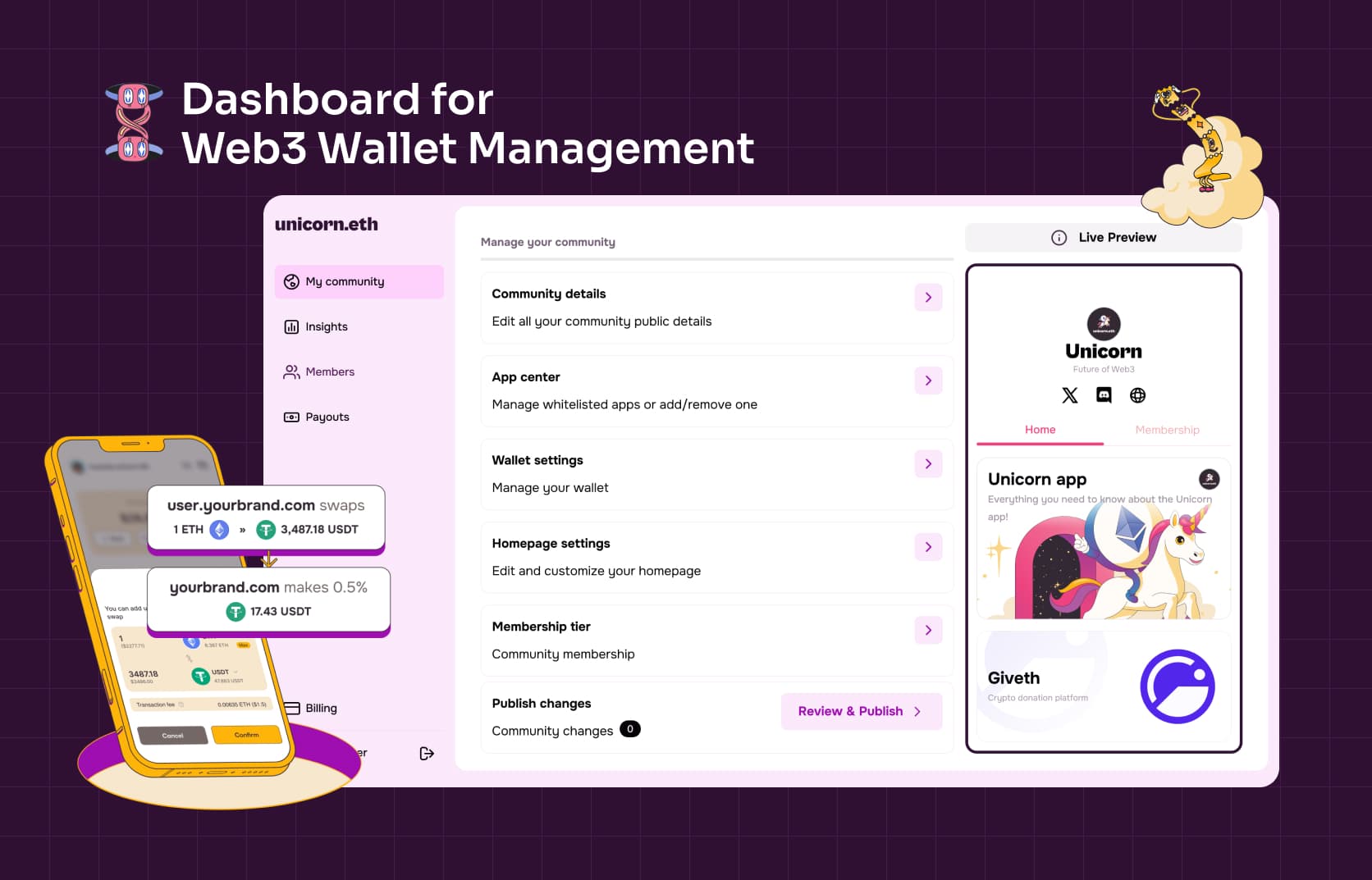
What I did
Product design, UX/UI, information architecture, prototyping, and design system
Role
Product Designer for the Brand Owner Dashboard
Team
PM, developers, founders, and brand users
Product
Branded smart-wallet accounts and community experiences
Making Web3 feel like product setup
Unicorn enables organizations to launch branded accounts for their communities, with smart wallets, personalized domains, membership access, payments, and curated apps built in.
The infrastructure was complex, but the people configuring it were often brand and community managers, not blockchain experts.
I designed the Brand Owner Dashboard from scratch: the product used to create, customize, and manage each Unicorn experience.
From a blank account to a branded experience
The onboarding needed to help a new brand move from signup to a working community experience without relying on the Unicorn team to configure it for them.
I designed a guided setup that broke the process into understandable decisions: establish the brand, configure its domain, customize the member experience, choose access rules, and prepare the account for launch.
Web3 terminology appeared only when it helped someone make a decision. The experience focused on what the brand wanted to create, not the infrastructure required to create it.
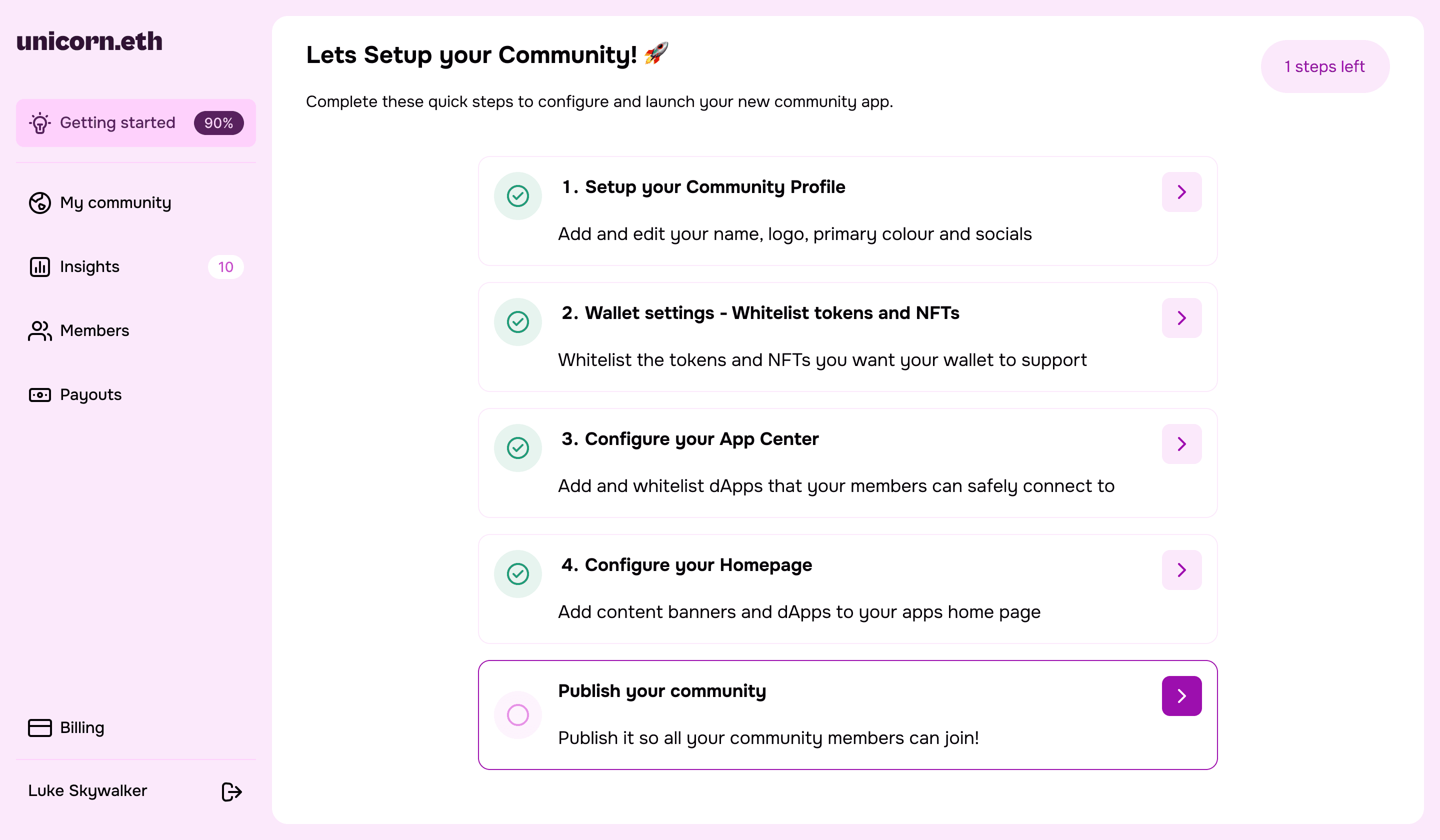
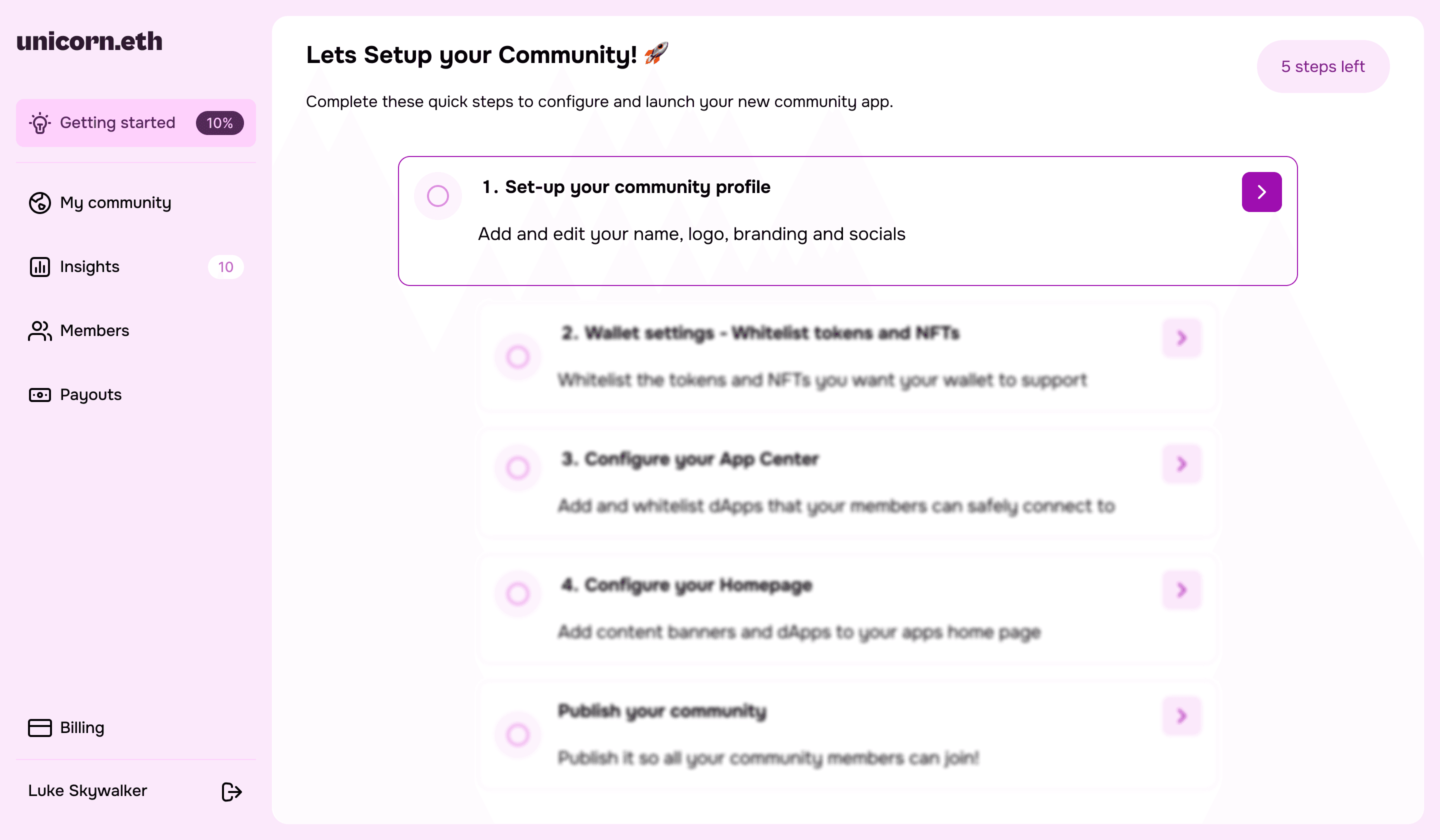
The guided setup, from a blank checklist to one step from launch
One dashboard for everything the brand controls
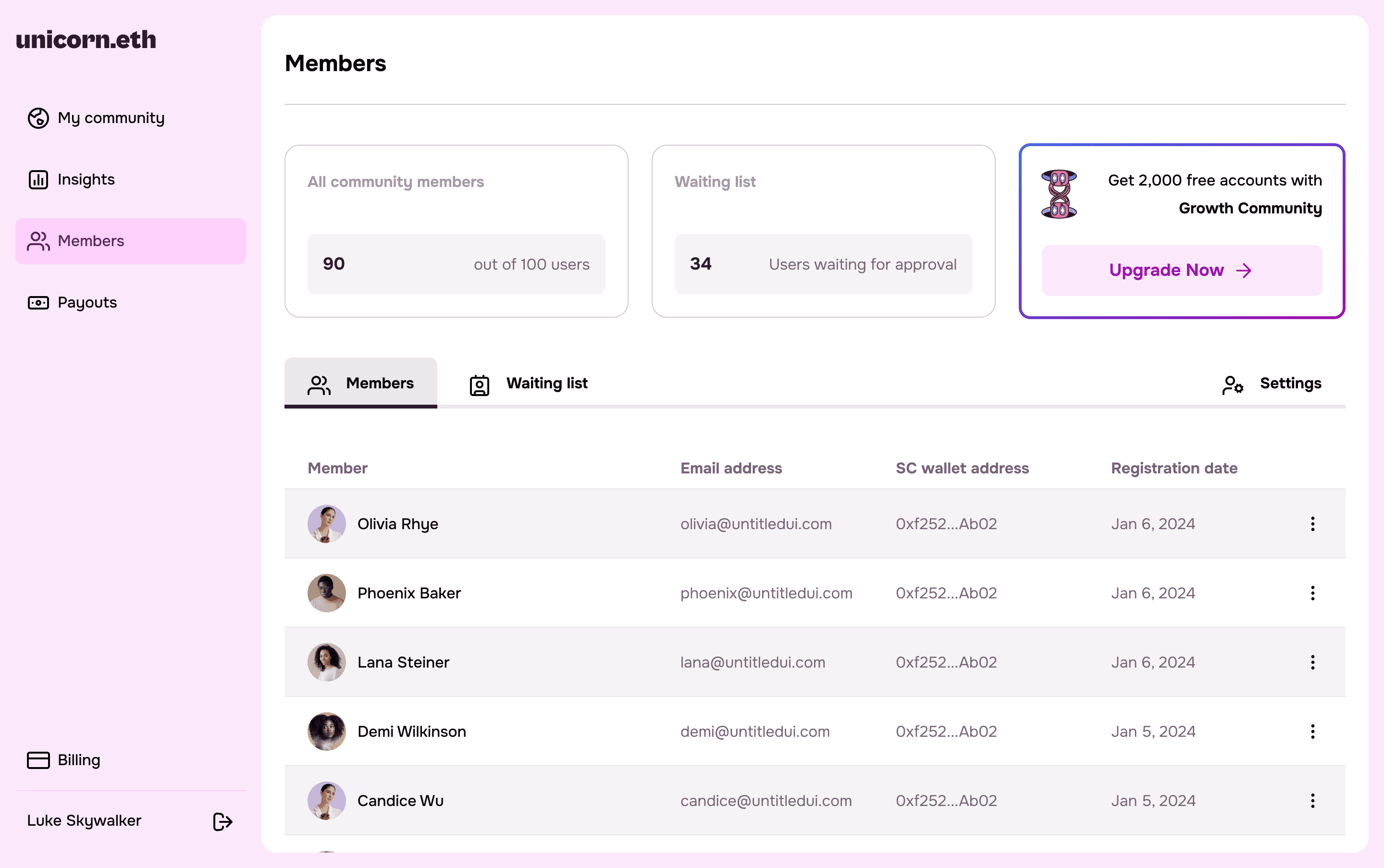
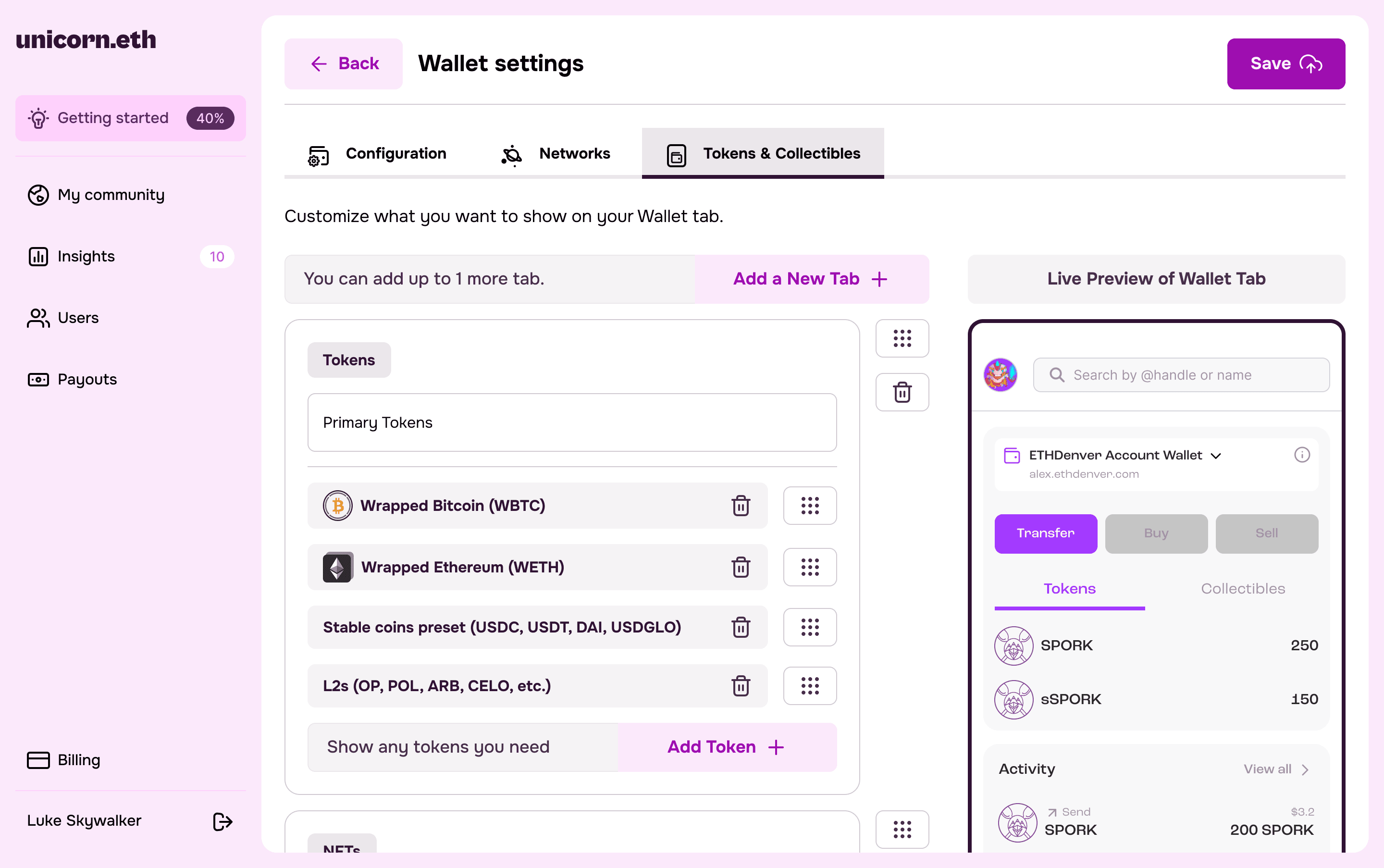
As Unicorn grew, the dashboard needed to support homepage customization, members, domains and ENS, wallet connections, supported chains, banners, navigation, and a curated App Center.
I organized these capabilities around the brand manager’s mental model rather than the underlying technology. Related settings lived together, common actions remained easy to reach, and modular patterns allowed new functionality to be added without restructuring the product.
I also separated Billing from Earnings. Billing covers what the organization pays Unicorn; Earnings covers the money it collects from members. Technically both involve payments, but they represent completely different jobs for the user.
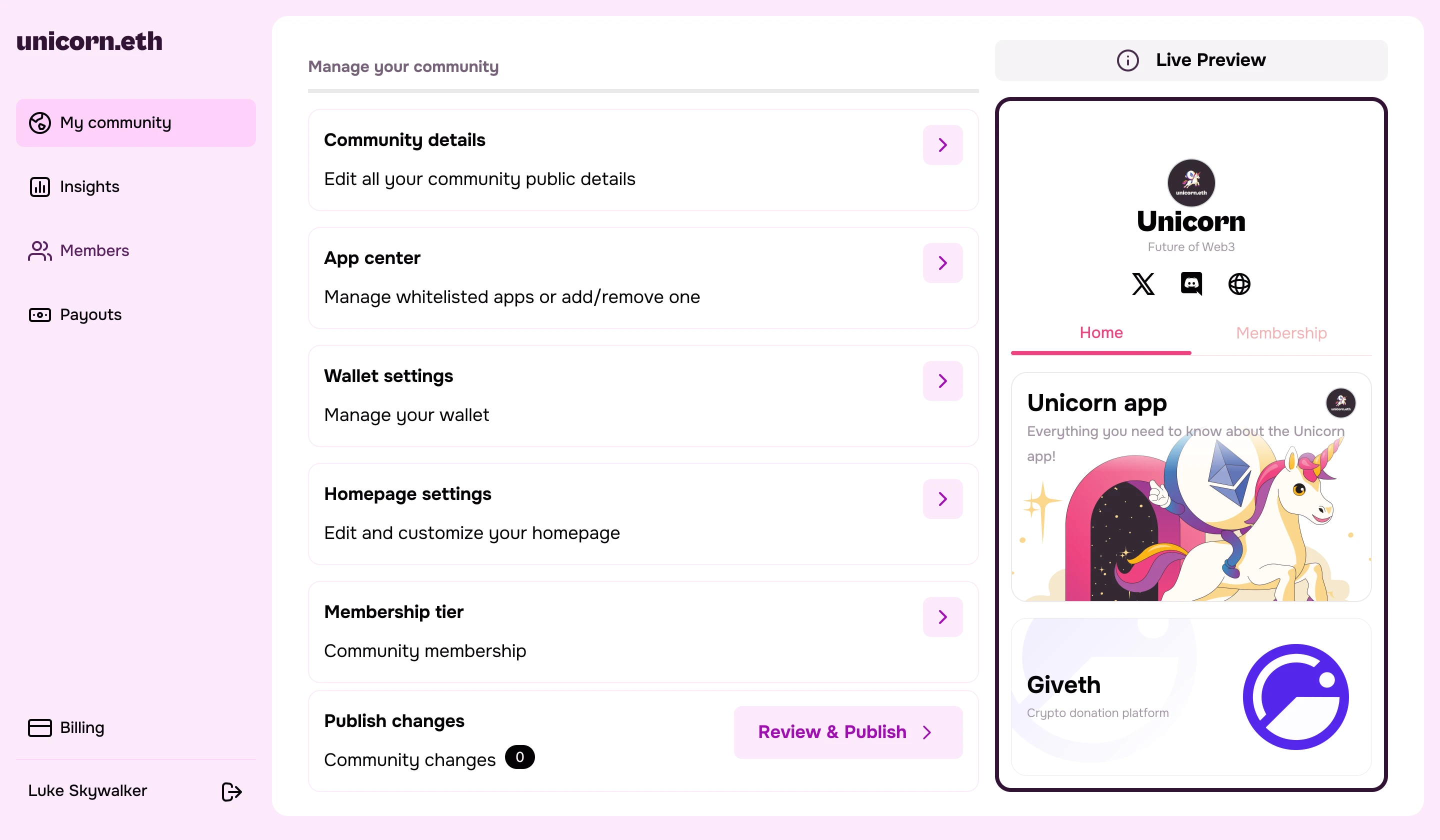
Making security configurable
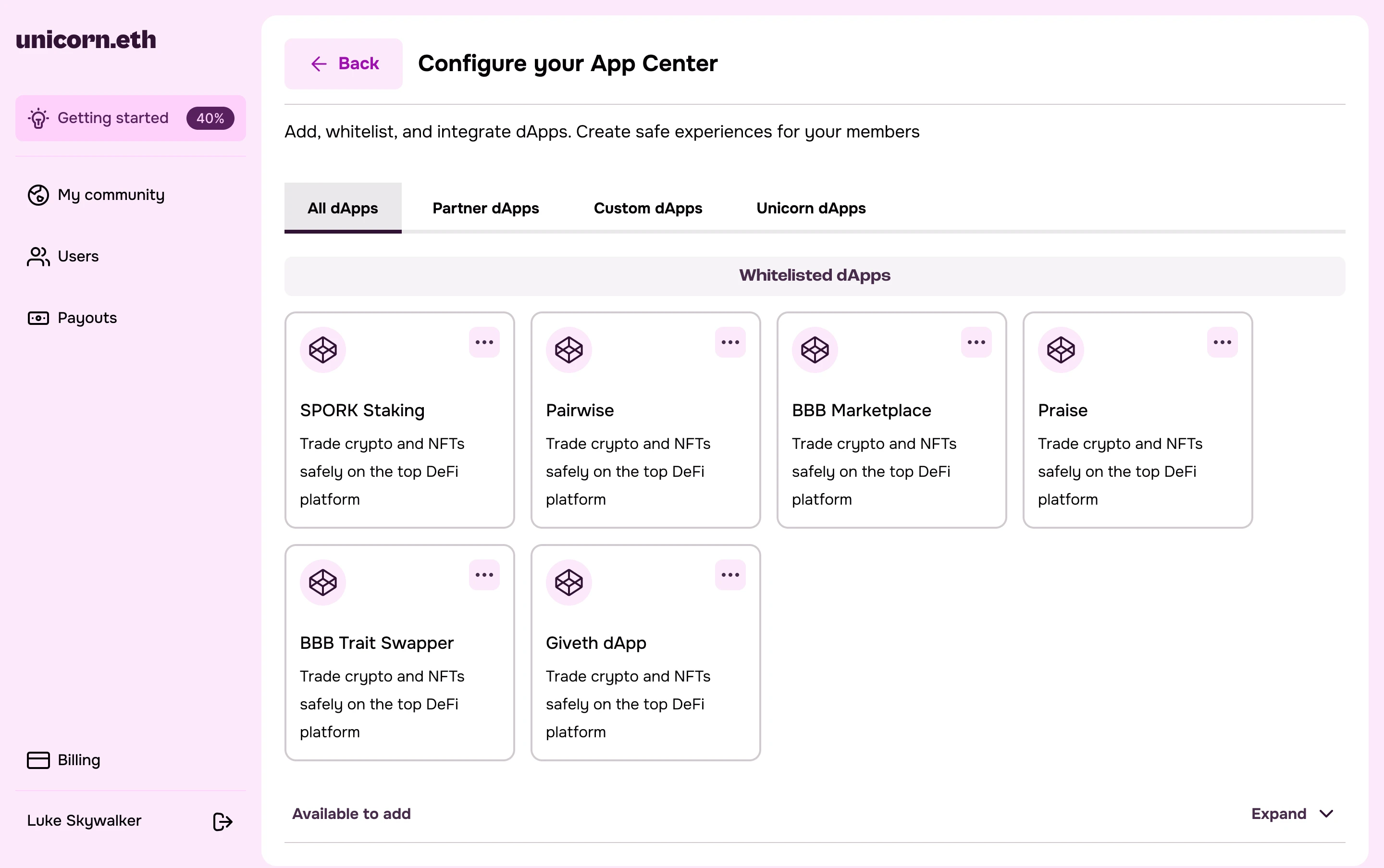
Unicorn helps brands protect their communities by controlling which apps, wallets, and experiences members can access.
I translated those security and permission rules into visible product controls. Through the App Center, administrators could curate approved experiences instead of asking members to navigate the wider Web3 ecosystem alone.
Security became something a brand manager could understand and configure, not an invisible technical promise.
The outcome
The dashboard and onboarding launched as part of the live Unicorn platform, giving organizations a self-serve way to create and manage branded Web3 accounts.
The modular information architecture and design system created a foundation that could expand from wallet setup into membership, monetization, analytics, and community tools without turning the dashboard into a collection of disconnected features.
The complexity remained underneath. For the brand manager, launching a Web3 experience became closer to configuring a familiar SaaS product.
Prototype
An early interactive prototype of the Brand Owner Dashboard, walking through the setup flow and the core dashboard screens.