Case study
Snapr
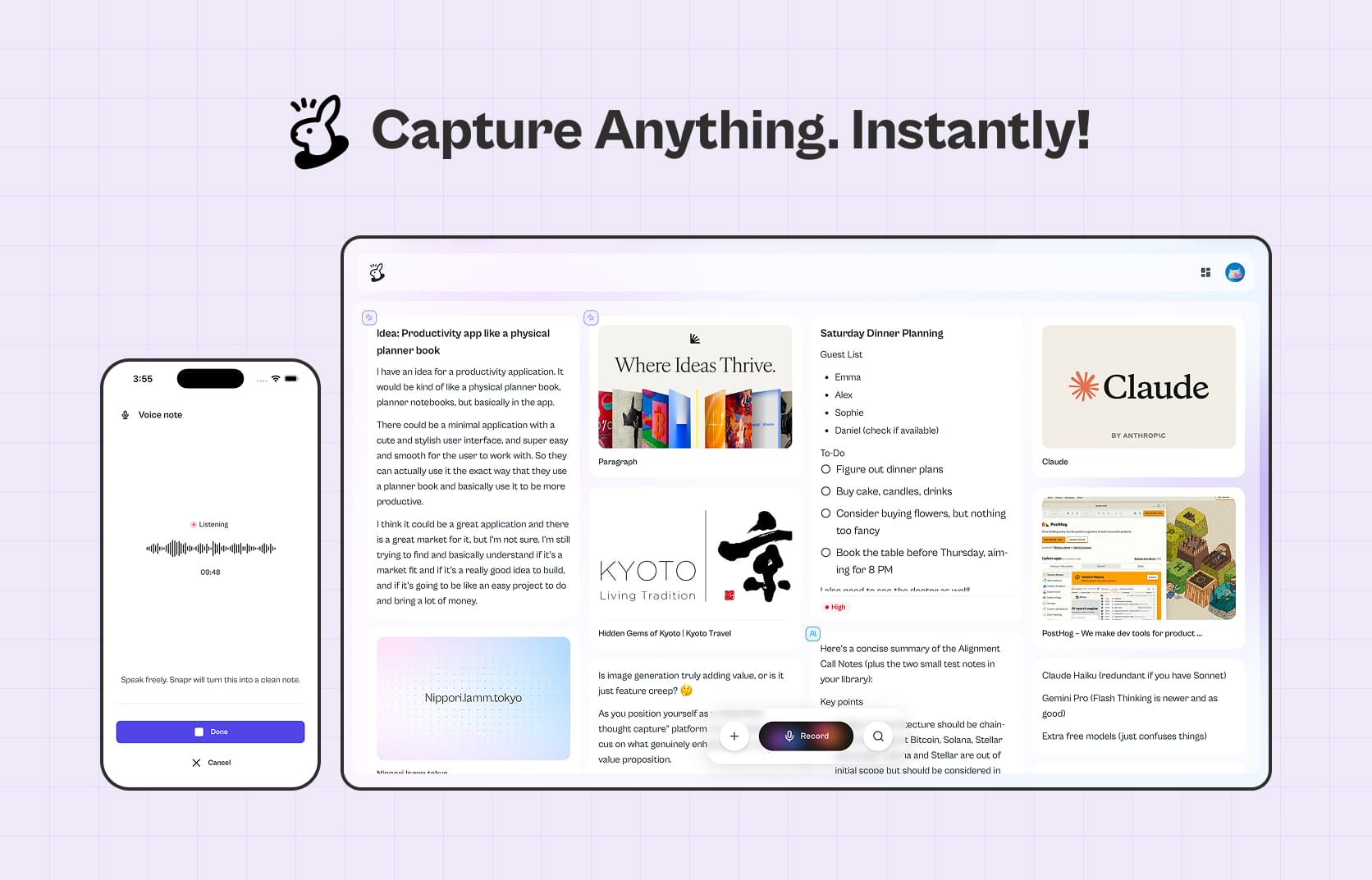
A voice-first note app for people whose thoughts move faster than they can type.
Designed, built, and shipped solo. Live on the App Store.
- 0→1
- Founder
- AI-native
- iOS
What I did
Product strategy, UX/UI, and the build, solo
Role
Founder & product designer (I wrote the code too)
Timeline
First version designed, built, and shipped in 45 days
Users
A small early group, with almost no marketing yet
Built with
Next.js, Supabase, AssemblyAI · coded with Claude Code, Codex, and Google Antigravity
Where it runs
Live on the App Store · web app public · Android in review
What it is
Some people think faster than they can type. For people with ADHD especially, the gap between having a thought and capturing it is where the thought dies, open the app, find the right note, start typing, and it’s already gone.
Snapr removes that gap. You talk, it’s caught, and it sorts itself out in the background, the transcript and a set of action items are ready by the time you look. Getting the thought out is the only thing you have to do.
I started it to learn, and it got real
I built the first version of Snapr to teach myself AI-assisted coding, Claude Code, Codex, and Google Antigravity. It worked well enough that it stopped being a practice project. In 45 days it was designed, built, and on the App Store.
But that same ease is where I made my first real mistake.
The pivot: from workspace to one clear action
The first version was an AI-powered workspace. Voice notes, written notes, uploads, and an AI chat you could use to ask questions about everything in your space. Because AI coding makes it so cheap to add another feature, I kept adding.
Then I talked to the first users. The complaint was consistent: they didn’t know what Snapr was for. Too many things to do meant no obvious reason to open it.
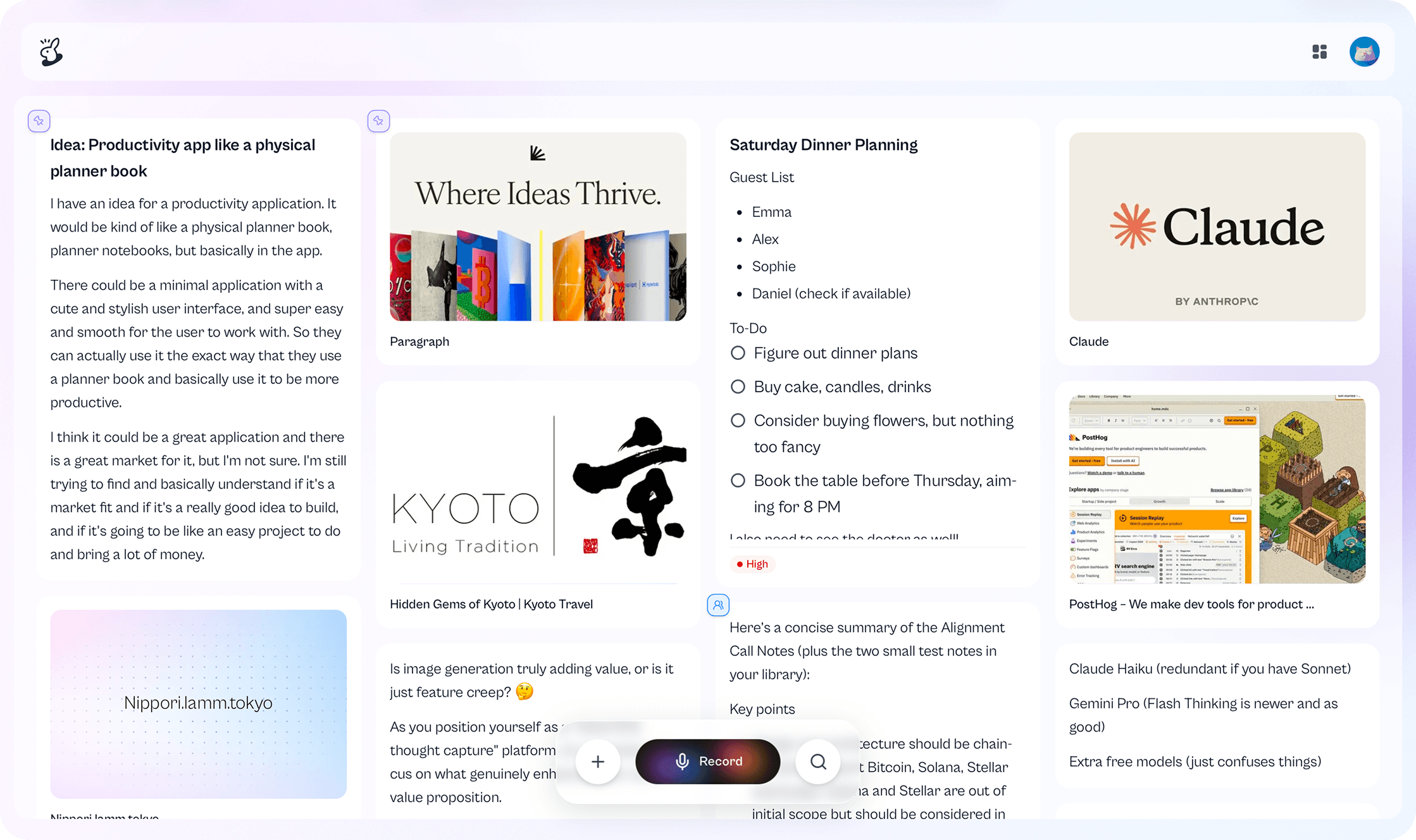
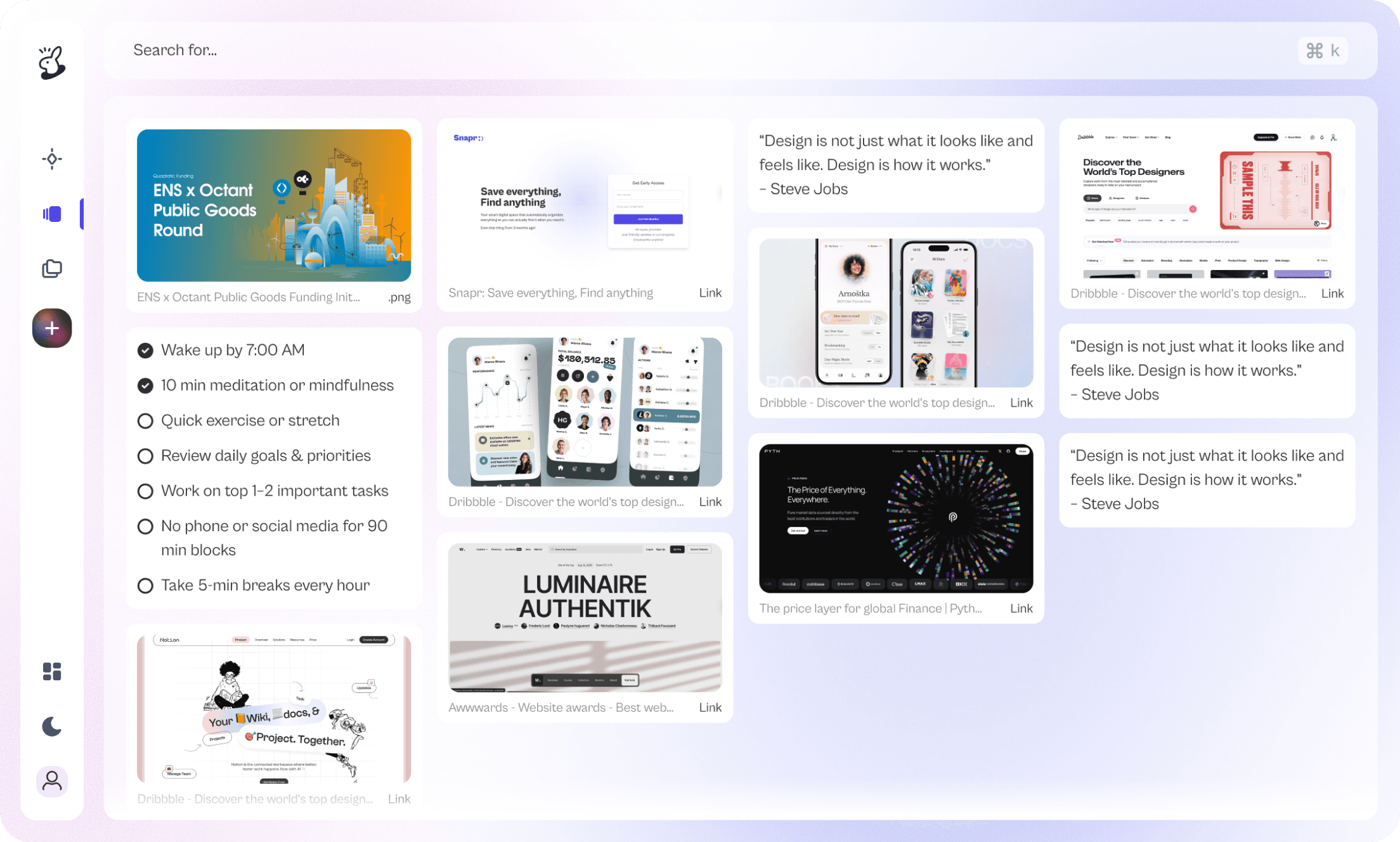
The everything-workspace vs. the voice-first Snapr
So I stripped it back. I did a round of research to pressure-test the direction, then made one call: voice notes become the single primary action. Everything else, writing notes, uploading, became secondary support around it. I turned off the AI chat entirely; it was clever and barely used.
The narrower version landed immediately. People understood Snapr in seconds, and it got far easier to talk about and promote, because it was finally about one thing.
How I built it
Live transcription that keeps up with a long thought.
I started on Whisper, but it was too slow and I couldn’t trust it with longer voice notes, exactly the ones that matter most when someone’s thinking out loud. I moved live transcription to AssemblyAI, which handles long recordings faster and far more reliably. When you’re dumping a fragile, half-formed idea, watching it get caught in real time is what makes you trust the app enough to keep going.
Capture first, structure later, automatically.
The product philosophy lives in one decision: capture has to be instant, so it happens alone. When Snapr processes a recording, it generates the transcript and the action items in the background, you never wait, and you never have to press a “make this useful” button. The structuring is a byproduct of capture, not a step between you and it.
That shows up in how the data is separated:
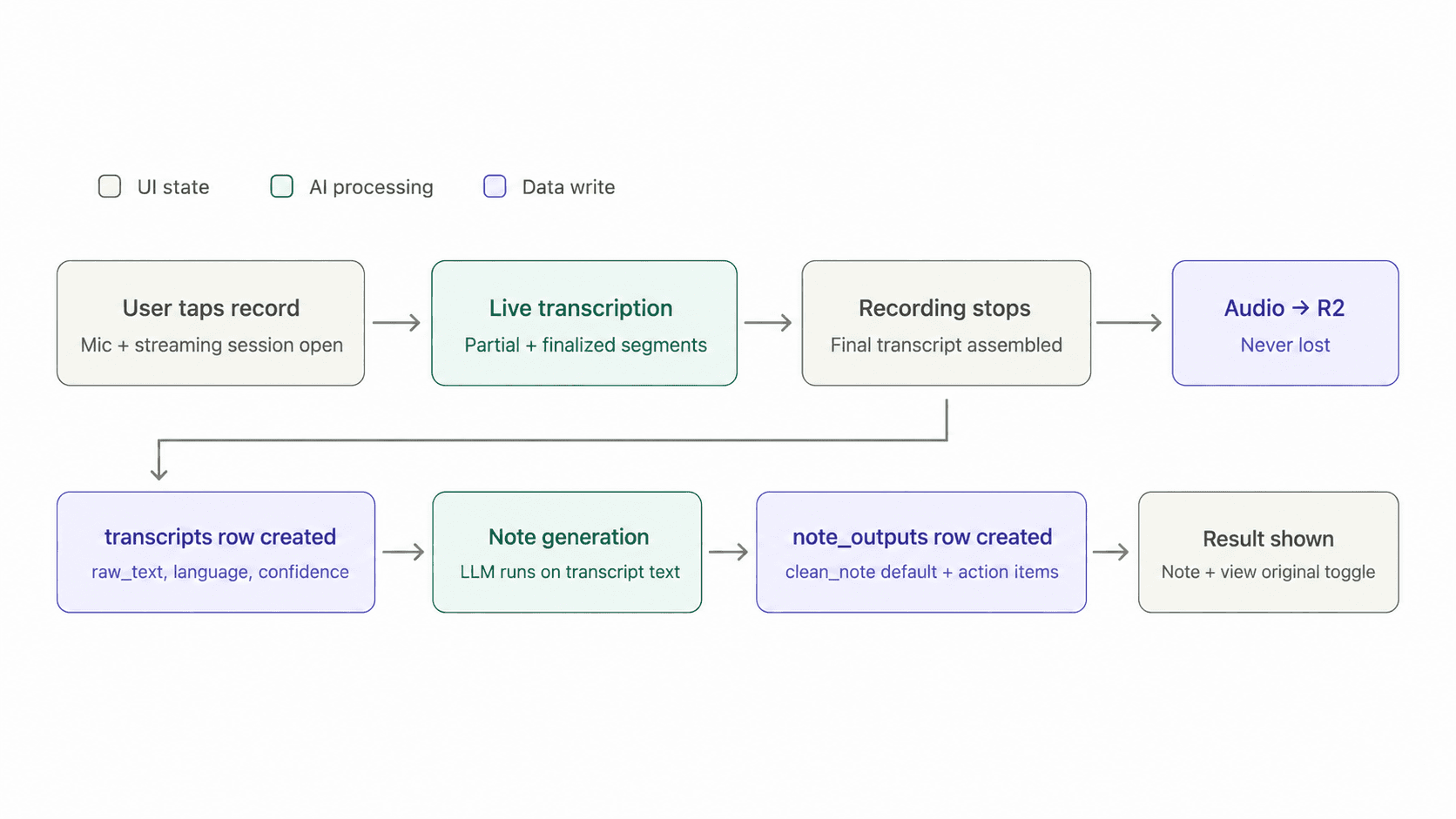
The raw voice note, its transcript, and the outputs generated from it are three distinct objects, not one blob. Capture is the fast, reliable core; everything downstream builds on top without touching it.
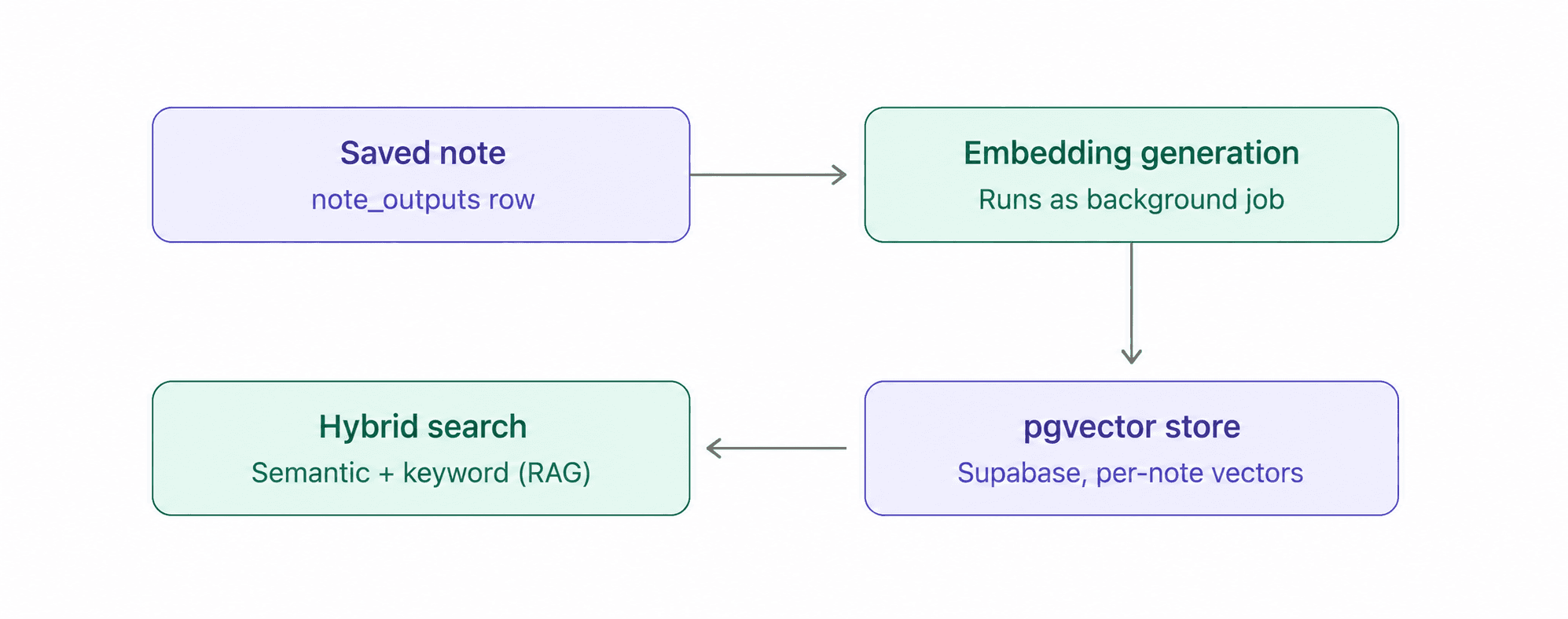
The same separation is what makes search work. Once a note is saved, it’s embedded in a background job, so everything you capture becomes findable by meaning, not just by the words you happened to say.
When the model gets it wrong, nothing is lost.
Transcription isn’t perfect, so I built guardrails through the pipeline to catch failures. And the hard rule underneath them: the voice file is never lost. If processing fails, the recording is safe and the user can retry manually, the thing you actually can’t recreate, the moment you spoke, is always protected.
What I'd build differently
If I started again, I’d build this version first, the one narrow thing, and add on top of that, instead of starting broad.
The real lesson wasn’t about design, it was about AI-assisted building: it’s so easy to keep shipping features that you don’t feel the cost while you’re coding. You feel it later, when you try to onboard a new user or explain the product, and there are ten things competing to be the point. Cheap to build is not the same as free. That constraint, what to leave out, is now the first thing I think about.